Mini APP CRUD With PostgreSQL and Node.js
___________________________________________
About application
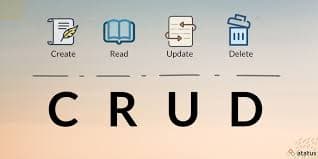
an application used to process student data which includes entering student data, viewing student data, updating student data, deleting student data and this application runs on the terminal
_____________________________________________________________________________________________________
Let’s Try With Me !!
_____________________________________________________________________________________________________
Setup
Prepare node.js and postgreSQL software
Create Folder and file for this project with terminal
Structure file and folder
db-project/
├── utils/
│ ├── db.js
│ └── input.js
├── 1-create.js
├── 2-read.js
├── 3-update.js
├── 4-delete.js
├── app.js
├── .env
└── .gitignore
Create Folder db-project
mkdir db-projectCreate utils folder into db-project
  cd db-project
  mkdir utils
Create a file for database and for input into utils folder
  touch input.js
  touch db.js
Create a file for operation CRUD
  cd ..
  touch 1-create.js
  touch 2-read.js
  touch 3-update.js
  touch 4-delete.js
Create a file app.js for bridge or connector to access or perform CRUD operations
touch app.jsCreate a file with the .env extension to store confidential data.
touch .envextension .env is A file acting as a secret diary for your code, holding sensitive information like passwords.
Create a file .gitignore
touch .gitignore.gitignore It's a list for Git to ignore certain files and folders.
Enter to Visual Studio Code with that folder

If you are confused about where the folder you created is, you can see it in the terminal.

That is path or address your folder

These are the files and folders that we created earlier

you can open terminal in Visual Studio Code with click ctrl + ` (Grave accent above the tab key on the keyboard)

install npm, pg and git in folder, Write this in your terminal or you can copy past
 npm init -y # install npm
 npm install pg # install pg for connect to database
 npm install dotenv # install extension env
 git init # install git
_____________________________________________________________________________________________________
CODE CODE !!
_____________________________________________________________________________________________________
Prepare foundation
Setting or configuration npm
open file package.json
write this
‘type‘: ‘module‘,like this
    {
      "name": "db-project",
      "version": "1.0.0",
      "description": "",
      "type": "module", // HERE
      "main": "index.js",
      "scripts": {
        "test": "echo \"Error: no test specified\" && exit 1"
      },
      "keywords": [],
      "author": "",
      "license": "ISC",
      "dependencies": {
        "dotenv": "^17.2.2",
        "env": "^0.0.2",
        "pg": "^8.16.3"
      }
    }
Create database and table
 CREATE DATABASE name_database;
 \c name_database -- for enter to database

 CREATE TABLE student(
 id SERIAL PRIMARY KEY,
 name VARCHAR(50) NOT NULL,
 address VARCHAR(100) NOT NULL
 );
Connect to database
Actually this is not connecting the database to the file but more about preparation
Go to file with extension
.envand write like this
The contents of the .gitignore file are like this

_____________________________________________________________________________________________________
Create Program
- Write the program for connect to database in file db.js which is in the utils folder
import pg from "pg";
import "dotenv/config";

const pool = new pg.Pool({
  user: process.env.DB_USER,
  host: process.env.DB_HOST,
  database: process.env.DB_DATABASE,
  password: process.env.DB_PASSWORD,
  port: process.env.DB_PORT,
});

export default pool;
- Create function for input in file input.js which is in the utils folder
import readline from 'node:readline/promises';
import { stdin as input, stdout as output } from 'node:process';

const rl = readline.createInterface({ input, output });

export async function inputData(question) {
 const answer = await rl.question(`${question}`);
 return answer.trim();
}

export async function closeInput() {
 await rl.close();
}
- Write the program for Create data in file 1-create.js
import pool from './utils/db.js';

export async function addStudent(name, address) {
 try{
  // this code for testing code
  const name = 'fine'
  const address = 'Tokyo'

  const queryText = 'INSERT INTO student(name, address) VALUES ($1, $2) RETURNING *';
  const res = await pool.query(queryText, [name, address]);

  console.log('new student successfully added');
  console.log(res.rows[0]);
 } catch (err) {
  console.error('fail adding student:', err.stack);
 } finally { // this block finally for testing code
  pool.close()
  closeInput()
 }
}

addStudent() // for testing code
// Run this file directly from the terminal to test it.
// If there are no issues, remove this test code.
// Otherwise, it could cause errors later.
- Write the program for Read data in file 2-read.js
import pool from './utils/db.js';

export async function readStudent() {
 try {
  const res = await pool.query('SELECT * FROM student ORDER BY id ASC');

  if (res.rows.length === 0) {
   console.log('no student data');
   return;
  }

  console.log('List Student:');
  res.rows.forEach(s => {
   console.log(`ID: ${s.id}, Name: ${s.name}, address: ${s.address}`);
  });
 } catch (err) {
  console.error('failed to read student data:', err.stack);
 }
}
- Write the program for Update data in file 3-update.js
import pool from './utils/db.js';

export async function editStudent(id, reName, reAddress) {
 try {

  const queryText = 'UPDATE student SET name = $1 , address = $2 WHERE id = $3';
  const res = await pool.query(queryText, [reName, reAddress, id]);

  console.log('data edited successfully');
 } catch (err) {
  console.error('data failed to edit');
 }
}
- Write the program for Delete data in file 4-delete.js
import pool from './utils/db.js';

export async function deleteStudent(id) {
 try {

  const queryText = 'DELETE FROM student WHERE id = $1';
  const res = await pool.query(queryText, [id]);

  console.log('Student data was successfully deleted.');
 } catch (err) {
  console.error('data failed to delete');
 }
}
- Write the program for app.js
import { addStudent } from "./1-create.js";
import { readStudent } from "./2-read.js";
import { editStudent } from "./3-update.js";
import { deleteStudent } from "./4-delete.js";

import { closeInput, inputData } from "./utils/input.js";

import pg from "pg";

const pool = new pg.Pool({
  user: "postgres",
  host: "localhost",
  database: "dbproject1",
  password: "postgres",
  port: 5432,
});

function fitur() {
  console.log("  APP Console JS  ");
  console.log("1) Add Student");
  console.log("2) Read Student");
  console.log("3) Edit Student");
  console.log("4) Delete Student");
  console.log("0) Close");
}

async function addProgram() {
  const name = await inputData("Enter Name: ");
  const address = await inputData("Enter Address");
  await addStudent(name, address);
}

async function editProgram() {
  const id = await inputData("Enter ID: ");
  const name = await inputData("Enter New Name: ");
  const address = await inputData("Enter New Address: ");
  await editStudent(id, name, address);
}

async function deleteProgram() {
  const id = await inputData("Enter ID: ");
  await deleteStudent(id);
}

async function program() {
  while (true) {
    fitur();
    const choice = await inputData("Choose: ");
    switch (choice) {
      case "1":
        await addProgram();
        break;

      case "2":
        await readStudent();
        break;

      case "3":
        await editProgram();
        break;

      case "4":
        await deleteProgram();
        break;

      case "0":
        console.log("\nApp is Closed. Thank You.\n");
        closeInput();
        pool.end();
        return;

      default:
        console.log("Unknown choice. Please try again.\n");
    }
  }
}

program();
_____________________________________________________________________________________________________
Test Program
Test Create Fitur
Test Read Fitur
Test Update Fitur
Test Delete Fitur
_____________________________________________________________________________________________________
_____________________________________________________________________________________________________
Closing
And that's it! 🎉 You've now successfully built a simple CRUD application. You've mastered the fundamentals: creating, reading, updating, and deleting data.
From here, you can try to:
Add more features, such as a search function.
Use a web framework like Express.js to build a web-based application.
Create a more engaging user interface.
Thanks for reading! See you in the next project.
_____________________________________________________________________________________________________
note : picture from https://www.atatus.com/glossary/crud/